Stroke Letters Procreate Stamp: A Practical Tool for Digital Lettering and Pattern Design
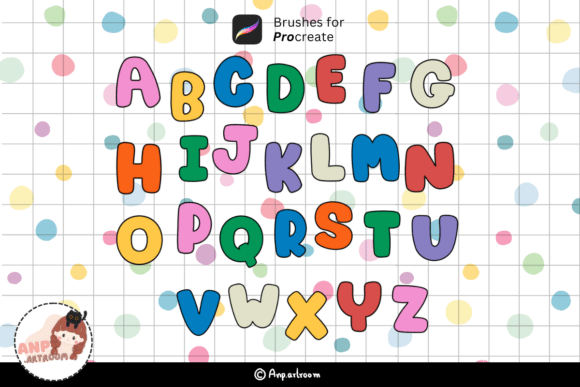
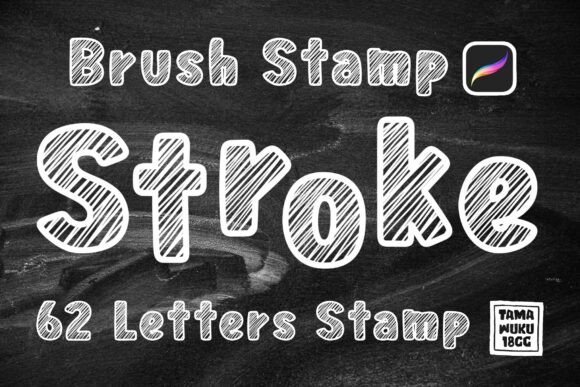
For digital artists and designers working within the Procreate app, the Stroke Letters Procreate Stamp offers a convenient way to integrate hand-drawn lettering into cards, patterns, and illustrations. This brush set contains 62 individual stamps, each representing a letter or character, designed with a natural, brush-stroke aesthetic. Unlike traditional typography tools, this stamp set mimics the look and feel of organic, hand-painted letters, making it a versatile option for creators who want to add a personal touch without spending excessive time on custom lettering.
What Makes Stroke Letters Procreate Stamp Unique?
Most digital lettering tools rely on vector-based fonts or brush presets that require manual drawing of each letter. The Stroke Letters Procreate Stamp, however, functions more like a rubber stamp in the digital space. Each letter is pre-drawn and stored as a brush, allowing users to tap once to place a letter exactly as it appears in a natural handwriting or brush style. This eliminates the need to redraw or adjust letterforms manually, which can be especially helpful when working on time-sensitive projects or intricate compositions.
Another distinguishing feature is its integration with Procreate’s brush engine. Since the letters are stored as brushes, they respond to pressure sensitivity when used with an Apple Pencil or compatible stylus. This means the weight and opacity of each stroke can vary naturally, preserving the expressive quality of hand-drawn marks. This level of responsiveness sets it apart from static image stamps or vector-based text that lacks the nuance of real brushwork.
Comparing Stroke Letters Procreate Stamp With Similar Tools
When evaluating digital lettering tools for Procreate, creators often choose between font-based brushes, vector text imports, or pre-drawn stamp sets like the Stroke Letters Procreate Stamp. Each approach has its advantages and limitations, depending on the project’s requirements.
- Font-based brushes allow for quick text generation but often lack the organic variation found in real brush strokes. They are ideal for uniform lettering but may appear too clean or artificial for certain artistic styles.
- Vector text imports offer scalability and editing flexibility but require external software and can be cumbersome to integrate seamlessly into a Procreate workflow.
- Hand-drawn lettering provides the most authentic look but demands time, skill, and consistency—especially when creating longer text or repeating patterns.
In contrast, the Stroke Letters Procreate Stamp strikes a middle ground. It offers the speed of a font with the character of hand-drawn lettering, making it well-suited for users who want to maintain a personal, artistic feel without the learning curve or time investment of full-on lettering design.
Strengths and Tradeoffs of Using Stroke Letters Procreate Stamp
One of the primary strengths of the Stroke Letters Procreate Stamp is its efficiency. With just a tap or swipe, users can insert fully formed letters that maintain the texture and pressure response of real brushwork. This makes it especially useful for quick designs like greeting cards, journal headers, or pattern elements where time is a factor.
However, there are tradeoffs to consider. Because each letter is a pre-drawn stamp, customization is limited compared to using a font or drawing letters manually. Adjusting the spacing, size, or angle of individual letters requires more manual effort than with traditional text tools. Additionally, the set contains only 62 characters, which may not include extended symbols, special characters, or alternate letterforms that some designers might need for more complex projects.
When Stroke Letters Procreate Stamp Is the Right Choice
This brush set works best for artists and designers who value a handcrafted aesthetic but need a faster way to incorporate lettering into their work. It’s especially helpful for:
- Card designers who want to add custom text without redrawing letters each time.
- Pattern creators integrating text into repeating motifs or mixed-media designs.
- Digital journalers looking to personalize pages with expressive lettering.
- Illustrators needing to add stylized text to compositions without breaking workflow.
If your goal is to create a cohesive, hand-drawn look with minimal effort, the Stroke Letters Procreate Stamp can significantly streamline your process while preserving artistic integrity.
When You Might Need an Alternative
While the Stroke Letters Procreate Stamp is versatile, it may not be the best fit for every project. Users who require extensive customization, multilingual support, or precise typographic control might find it limiting. For example:
- If you need to edit text after placement, a font-based solution may be more flexible.
- For multilingual or technical projects, the limited character set may fall short.
- Designers who frequently adjust kerning, baseline shifts, or alignment may prefer vector-based tools.
In such cases, combining the Stroke Letters Procreate Stamp with other tools or opting for a more comprehensive lettering system might yield better results.
How to Get Started With Stroke Letters Procreate Stamp
Installation is straightforward for those using compatible devices. The ZIP file includes a .brushset file that can be imported directly into Procreate. To use the set:
- Download and unzip the file.
- Open the .brushset file in Procreate (version 5.0 or higher).
- Access the brushes from the Brush Library under the appropriate category.
Ensure you’re using an iPad with an Apple Pencil or a pressure-sensitive stylus to take full advantage of the brush dynamics. Once installed, the stamps are ready to use immediately, making it easy to integrate them into your creative workflow without additional setup.
Realistic Use Cases and Comparisons
Consider a scenario where a digital artist is creating a series of greeting cards for an online shop. Using traditional lettering methods would require drawing each word by hand, which could take hours. With the Stroke Letters Procreate Stamp, the same artist can place letters quickly and maintain a hand-drawn appearance, reducing production time while keeping the design authentic.
In another example, a surface pattern designer wants to incorporate playful text into a fabric design. Rather than drawing each letter individually or using a flat font, the Stroke Letters Procreate Stamp allows for expressive, textured lettering that complements the organic motifs in the pattern. This helps maintain visual harmony while saving time during the layout phase.
Making an Informed Choice
When deciding whether the Stroke Letters Procreate Stamp is right for your needs, consider the type of projects you typically work on, your preferred workflow, and the level of customization required. If you frequently create designs that benefit from expressive, brush-style lettering and want a tool that balances speed and authenticity, this brush set is a practical choice.
On the other hand, if your work demands extensive text editing, multilingual support, or tight typographic control, you may need to explore alternative tools or supplement this set with other lettering resources. Ultimately, the best digital lettering solution depends on your creative goals, technical requirements, and the balance between efficiency and artistic expression.